

C Programming Basics: Variables, Constants, Literals & Keywords — Easy Guide for Beginners
- Posted on December 4, 2025
- Technology
- By MmantraTech
- 536 Views
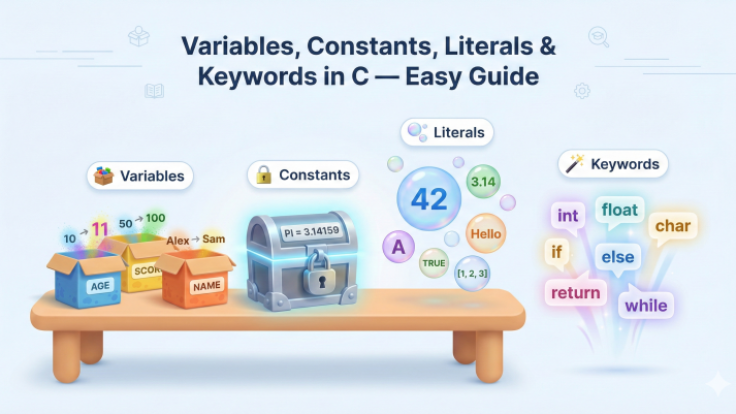
Variables, Constants, Literals & Keywords in C — Easy Guide
Variables are changeable boxes, constants are locked boxes, literals are the exact values you write, and keywords are C's reserved magic words. In the next sections we'll learn what each one is, see clear examples, and follow friendly naming rules so you don't get compiler errors.
1. Variables—Changeable Boxes (variables)
Think of a variable as a labeled box. You can put a value inside the box and later replace it. Variables have a type (what the box can hold) and a name (the label). This is the basic building block in C.
Tip: Use clear names so your code reads like a sentence. In my experience, descriptive names save a lot of debugging time.
// variables example (variables, constants, literals, keywords in comment)
int age = 10;
float score = 95.5;
char grade = 'A';
2. Constants — Locked Boxes (constants)

A constant is a value you lock inside a box so it cannot change. Use constants for values like PI or the number of days in a week. This prevents accidental changes and makes code easier to maintain.
Two common ways to create constants in C are #define and const.
// constants example (constants keyword inside code comment)
#define PI 3.14159
const int DAYS_IN_WEEK = 7;
Data Types in C
1. What is a Data Type? (data types)
A data type defines the kind of value a variable can store and how much memory it needs. Choosing the correct data type helps the program run correctly and use memory efficiently.
2. Primary (Primitive) Data Types
C has a few basic types you will use most often: int, char, float, and double. These are the building blocks.
// primary types example (data types keyword in comment)
int age = 20;        // integer
char letter = 'A';   // character
float temp = 36.6;   // single-precision float
double pi = 3.14159; // double-precision float
3. Type Modifiers — Change the Range & Size
Modifiers like signed, unsigned, short, and long adjust how many values a type can represent. For example, unsigned int only stores non-negative numbers but doubles the positive range.
// modifiers example (data types mention)
unsigned int u = 3000000000; // larger positive range on many systems
short int s = 32000;         // smaller range, saves memory
long long big = 1234567890123LL; // very large integer
4. Typical Sizes (on common 32/64-bit systems) — Helpful Table
| Type | Typical Size | Notes |
|---|---|---|
| char | 1 byte | Holds single characters |
| int | 4 bytes (typ.) | Whole numbers |
| float | 4 bytes | Decimal numbers (single) |
| double | 8 bytes | Decimal numbers (double) |
5. Derived & User-Defined Types
C also supports arrays, pointers, structures, unions, and enums — these are derived or user-defined types you build from primitives.
// derived types example (data types in comment)
int nums[5];          // array of ints
int *ptr = &nums[0];  // pointer to int
struct Point {        // user-defined type
    int x;
    int y;
};
Small Example Program
// data_types_demo.c (data types mentioned)
#include <stdio.h>

int main() {
    int count = 5;
    float price = 49.99f;
    char grade = 'B';
    printf("Count=%d, Price=%.2f, Grade=%c\n", count, price, grade);
    return 0;
}
3. Literals — The Exact Values You Write (literals)

Literals are the raw values you type in code: numbers, characters, and strings. They are not variables — they are the actual data items the program uses.
| Literal Type | Example | What it is |
|---|---|---|
| Integer | 42 | Whole number |
| Float | 9.81 | Decimal number |
| Char | 'Z' | Single character |
| String | "Hello" | Text sequence |
// literals example (literals keyword inside code comment)
int apples = 10;            // 10 is an integer literal
float gravity = 9.81;       // 9.81 is a floating literal
char letter = 'C';          // 'C' is a character literal
char name[] = "Brijesh";    // "Brijesh" is a string literal
4. Naming Rules — How to Name Your Boxes
Good names make your code readable. C has simple rules for names so the compiler can understand them.
✔ Valid Rules (and common mistakes) — includes keywords
- Use letters (A–Z, a–z), digits (0–9) and underscore (_)
- Name must not start with a digit
- No spaces or special symbols like @ or -
- C is case-sensitive:
age≠Age - Don't use C keywords as names
// naming rules examples (keywords mention)
int roll_number;   // valid
int age10;         // valid
int _score;        // valid
// int 10age = 0;  // INVALID: cannot start with digit
// int my-age;     // INVALID: hyphen not allowed
// int for = 5;    // INVALID: 'for' is a keyword
5. Keywords — C’s Reserved Magic Words (keywords)
Keywords are reserved words in C that already have special meaning. You cannot use them as variable names. Treat them like language helpers that tell the compiler exactly what you mean.
Common examples: int, char, float, if, else, for, while, return.
7.Examples
Example 1 — Variables & Output (variables)
// variables_and_print.c (variables keyword used)
#include <stdio.h>

int main() {
    int age = 10;
    printf("Age is %d\n", age);

    age = 11;  // change the variable
    printf("Now age is %d\n", age);

    return 0;
}
Example 2 — Constants & Math (constants)
// const_example.c (constants keyword used)
#include <stdio.h>
#define PI 3.14159

int main() {
    const int DAYS_IN_WEEK = 7;
    float radius = 2.5;
    float area = PI * radius * radius;
    printf("Area = %.2f, Days = %d\n", area, DAYS_IN_WEEK);
    return 0;
}
8. Tiny Quiz & Practice
1) Is const int X = 5; changeable later? (No)
2) Which is a literal: "Hello" or name? ("Hello")
3) Is for a valid variable name? (No — it's a keyword)
Conclusion
Now you know what variables, constants, literals, keywords mean in C, how to name variables properly, and why constants and literals matter. This trick helped me when I started — name things clearly and lock values that must never change.

-qmOcBxdtrq.png)

Write a Response